Discord AI Setup Guide
Complete your Discord AI bot setup with this step-by-step guide
Preparation Steps
Follow these steps to prepare your Discord AI bot
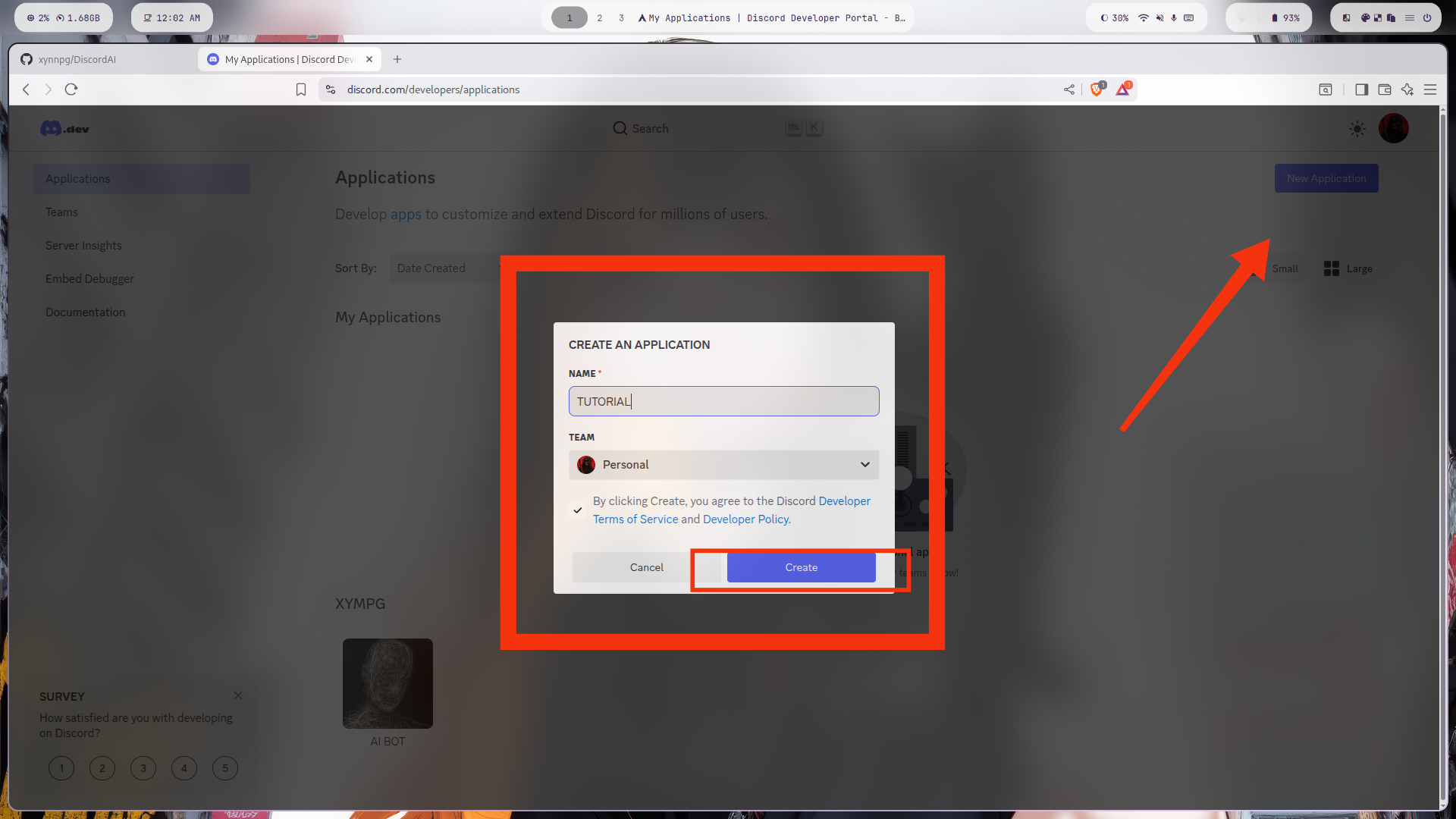
2
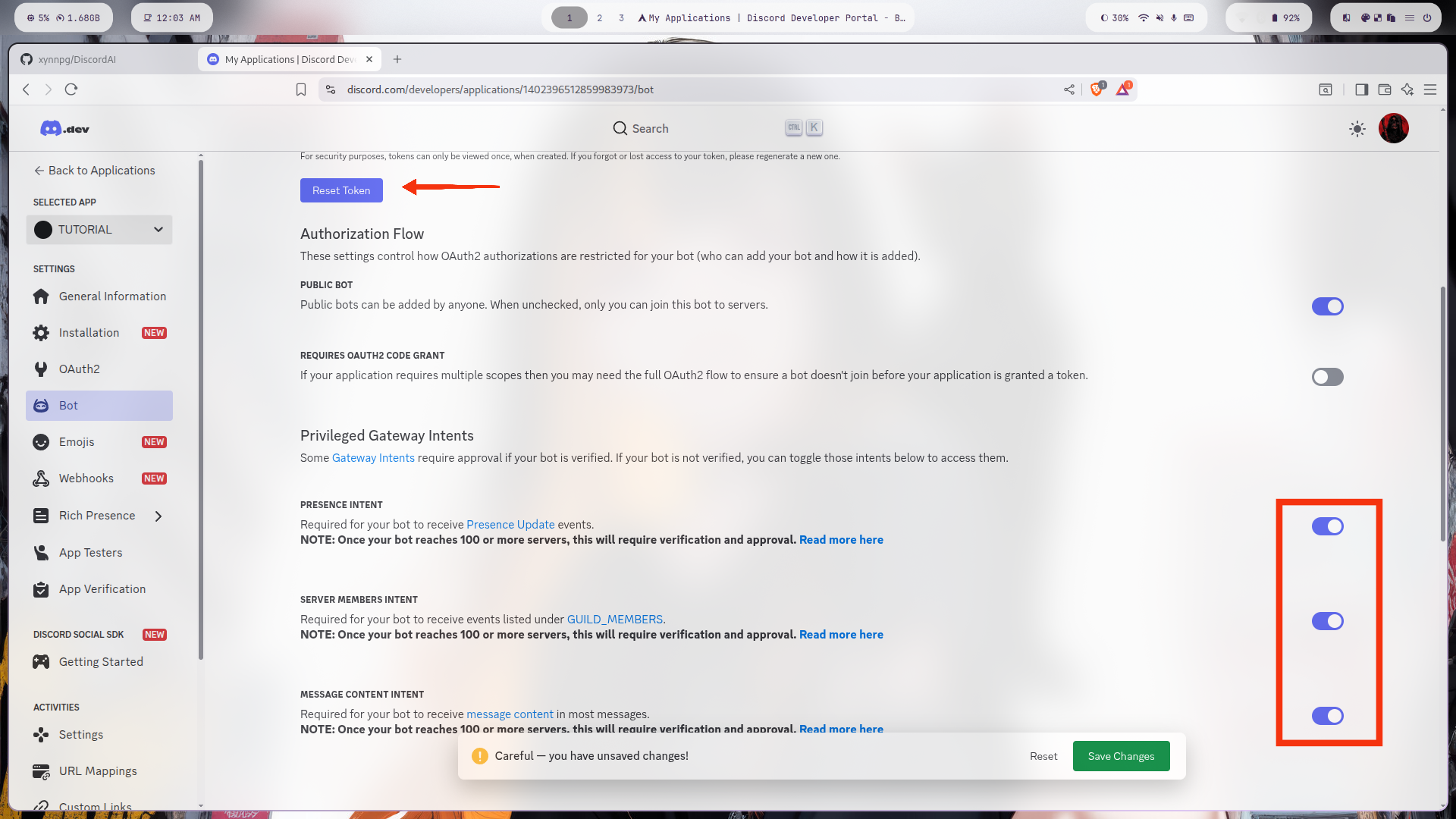
Settings
Enable those settings and reset the token.
3
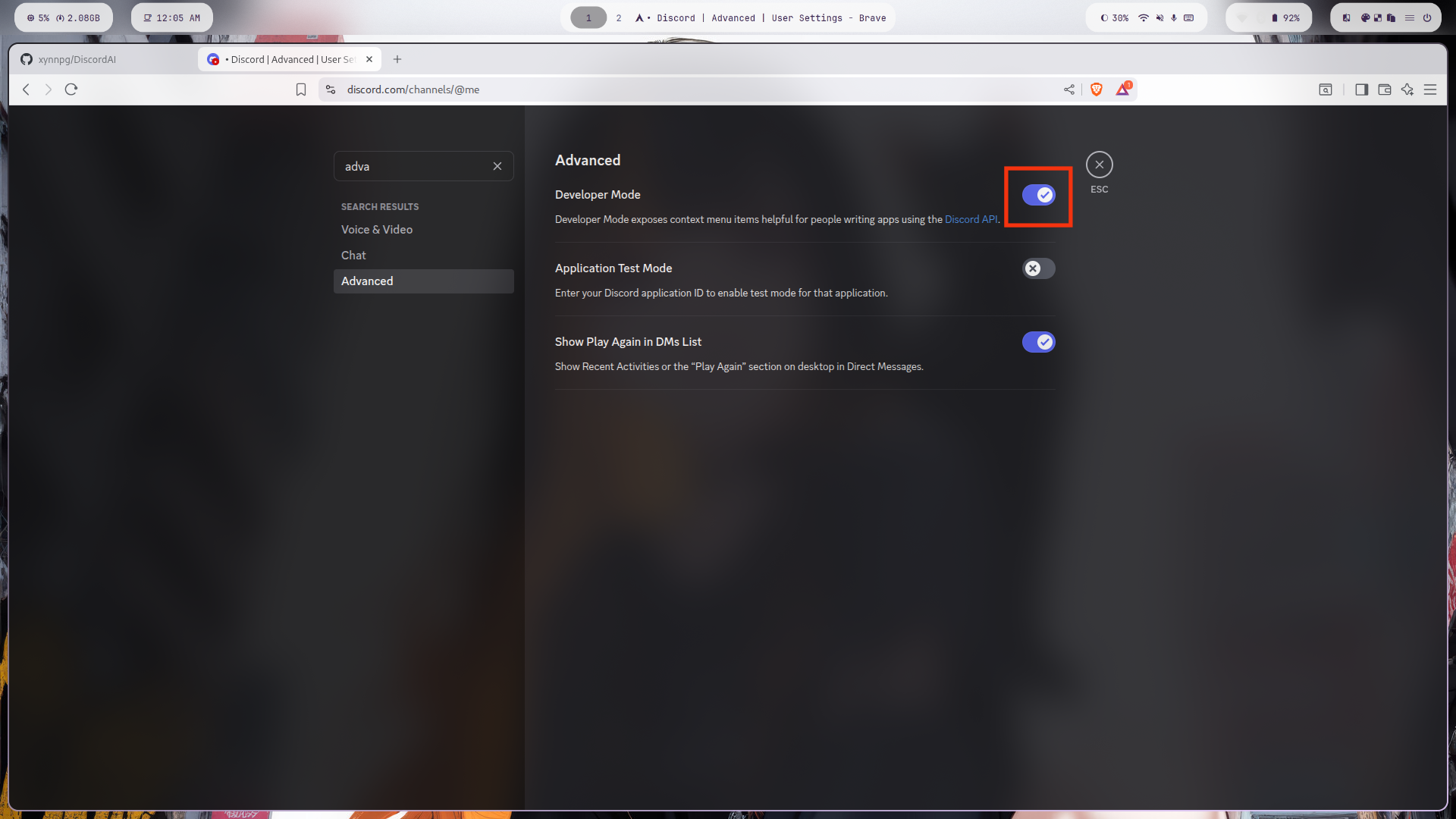
Developer Mode
Enable developer mode on discord
4
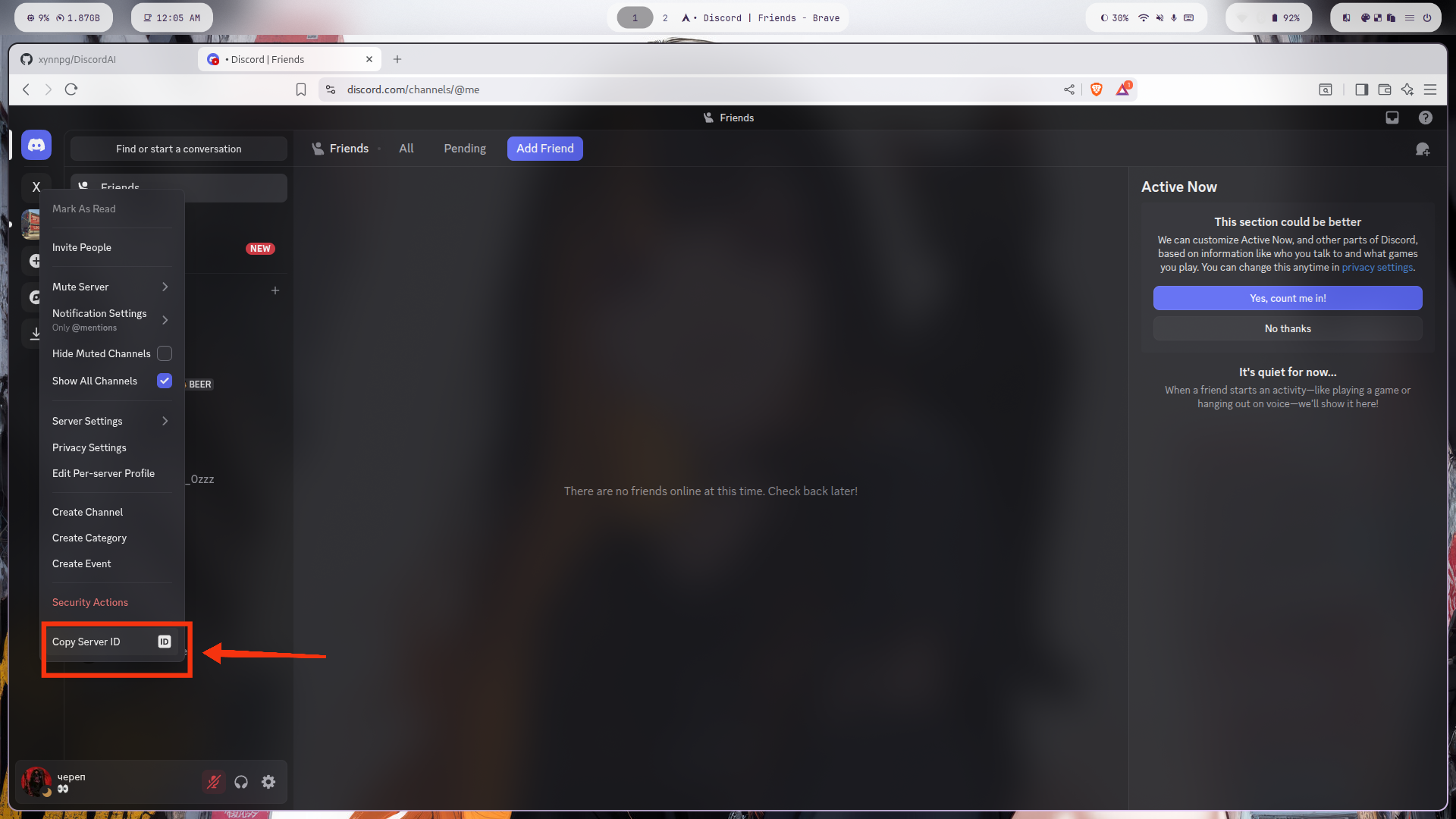
Guild ID
Copy the Server Id, thats the Guild Id
5
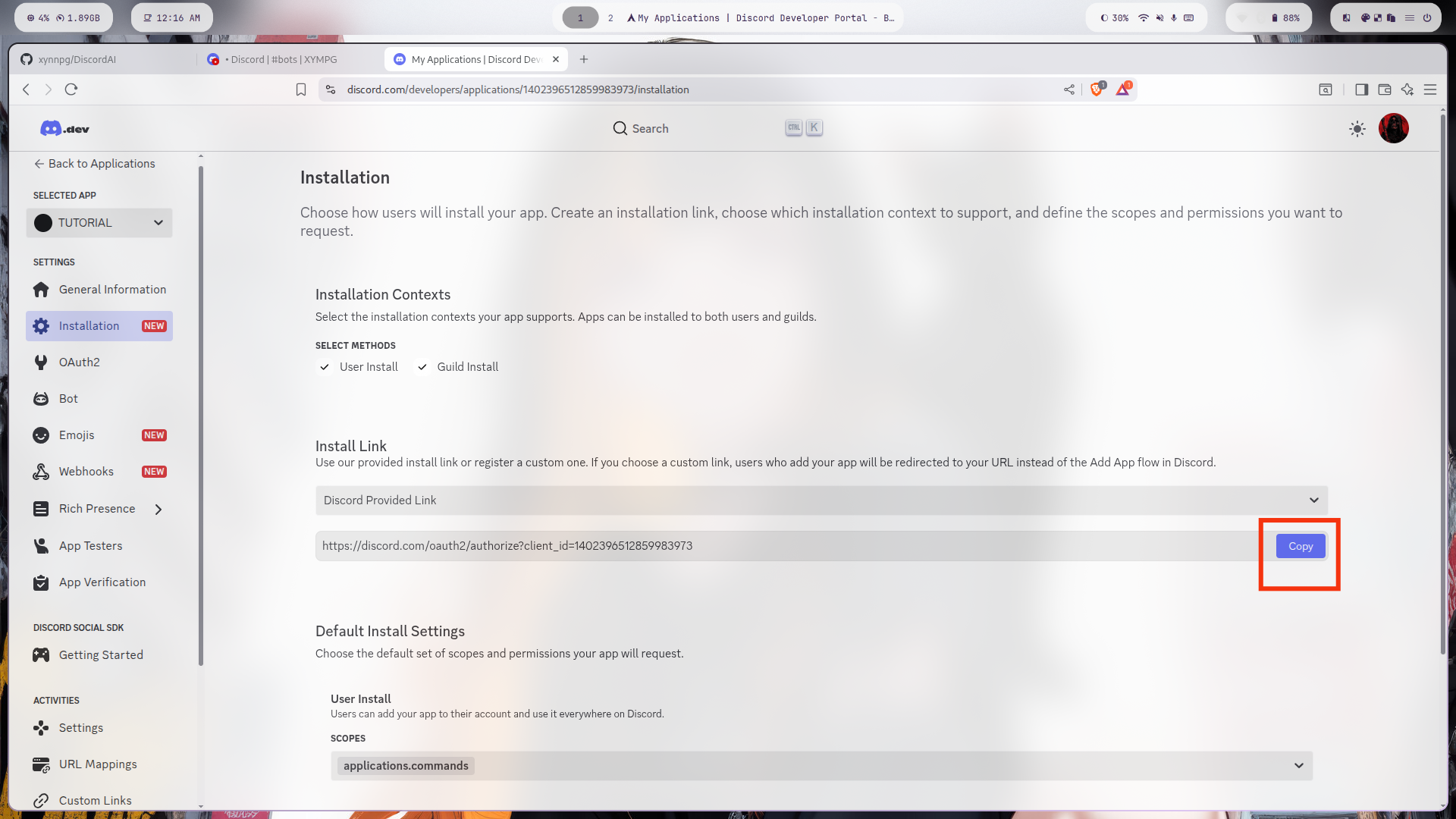
Invite
Invite the bot in your server
Setup Methods
Choose your preferred setup method
Method 1: On your PC
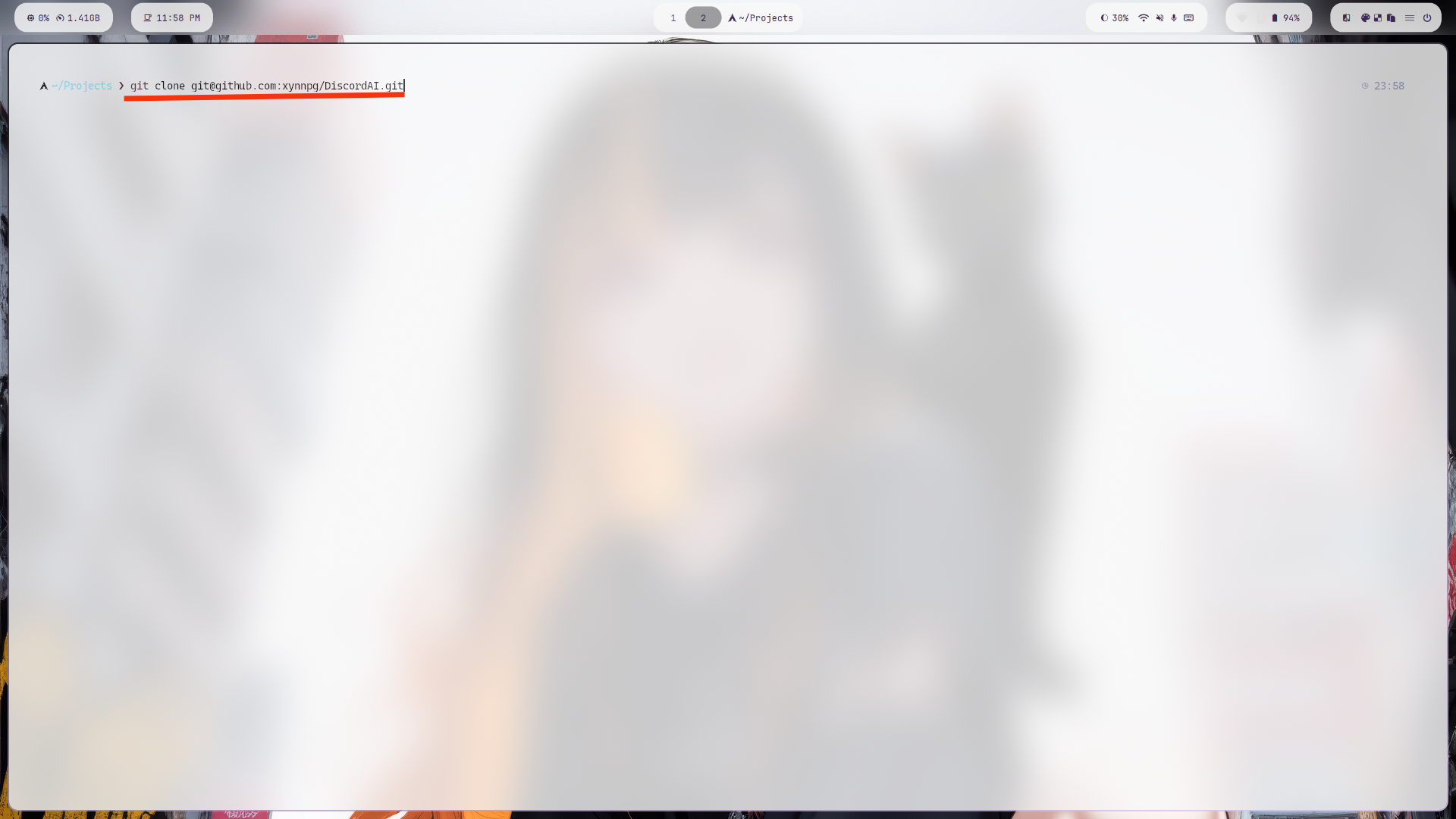
Step 1
Clone the DiscordAI repository
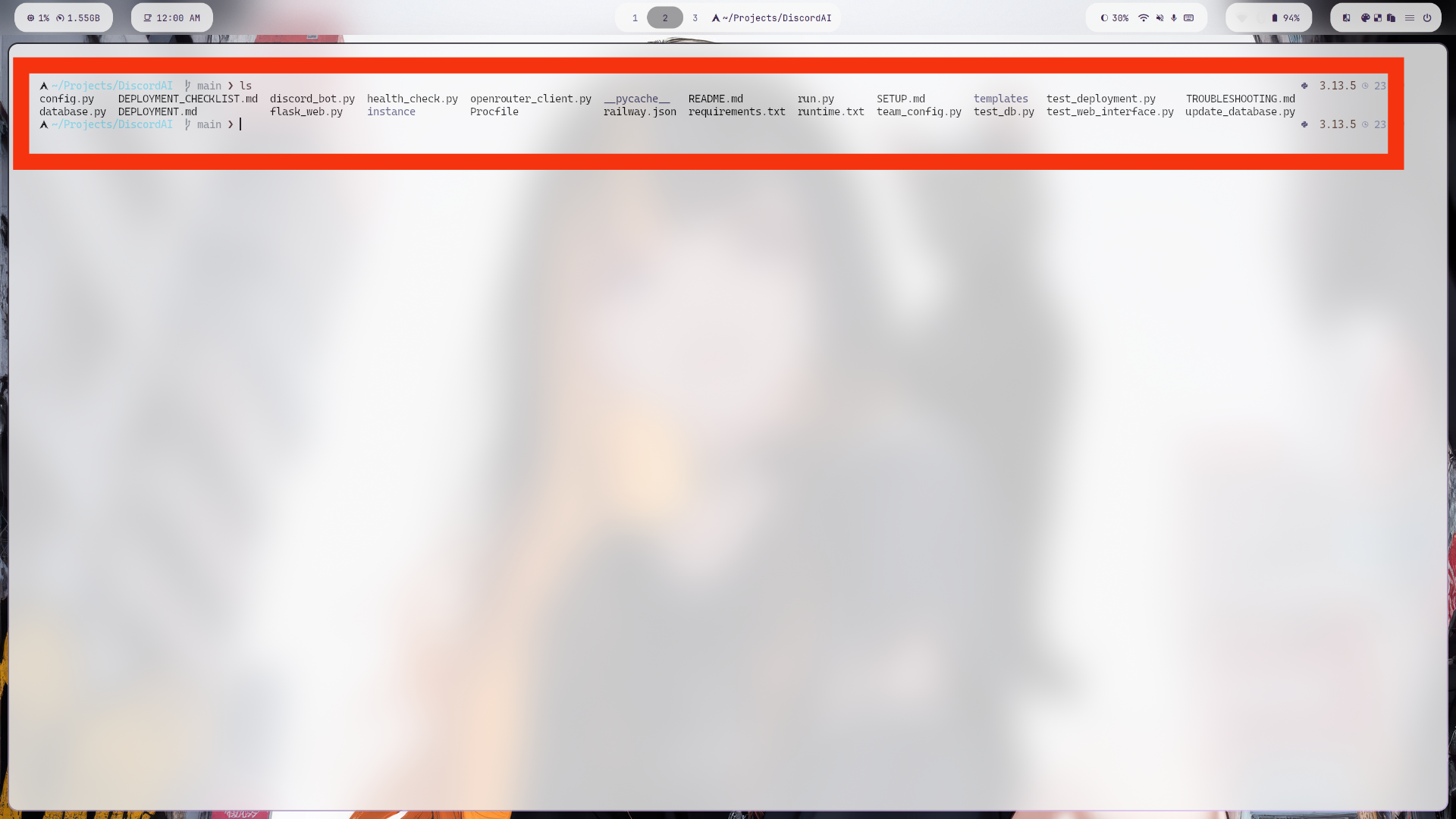
Step 2
Navigate to the DiscordAI directory
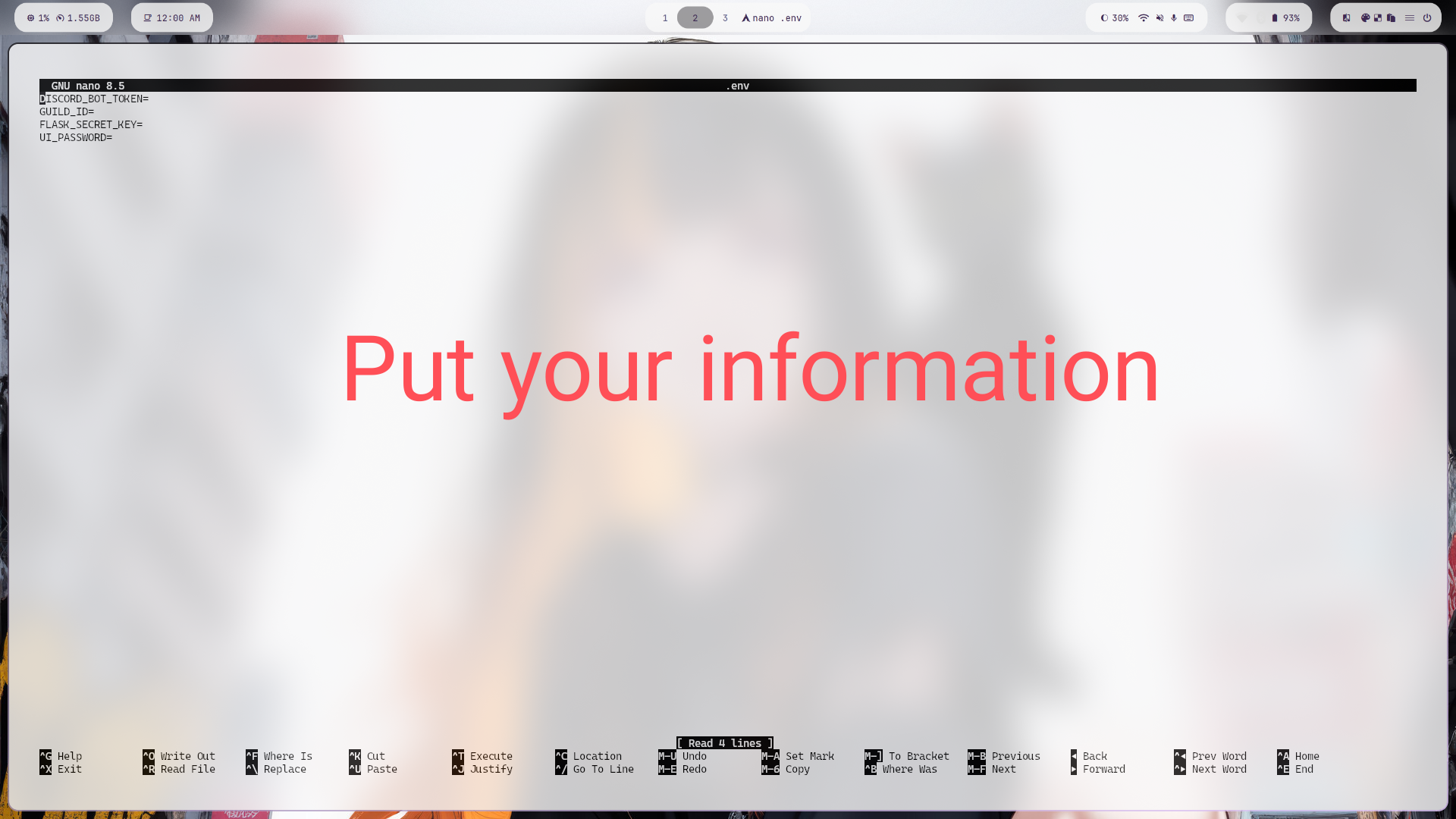
Step 3
Edit the environment configuration file
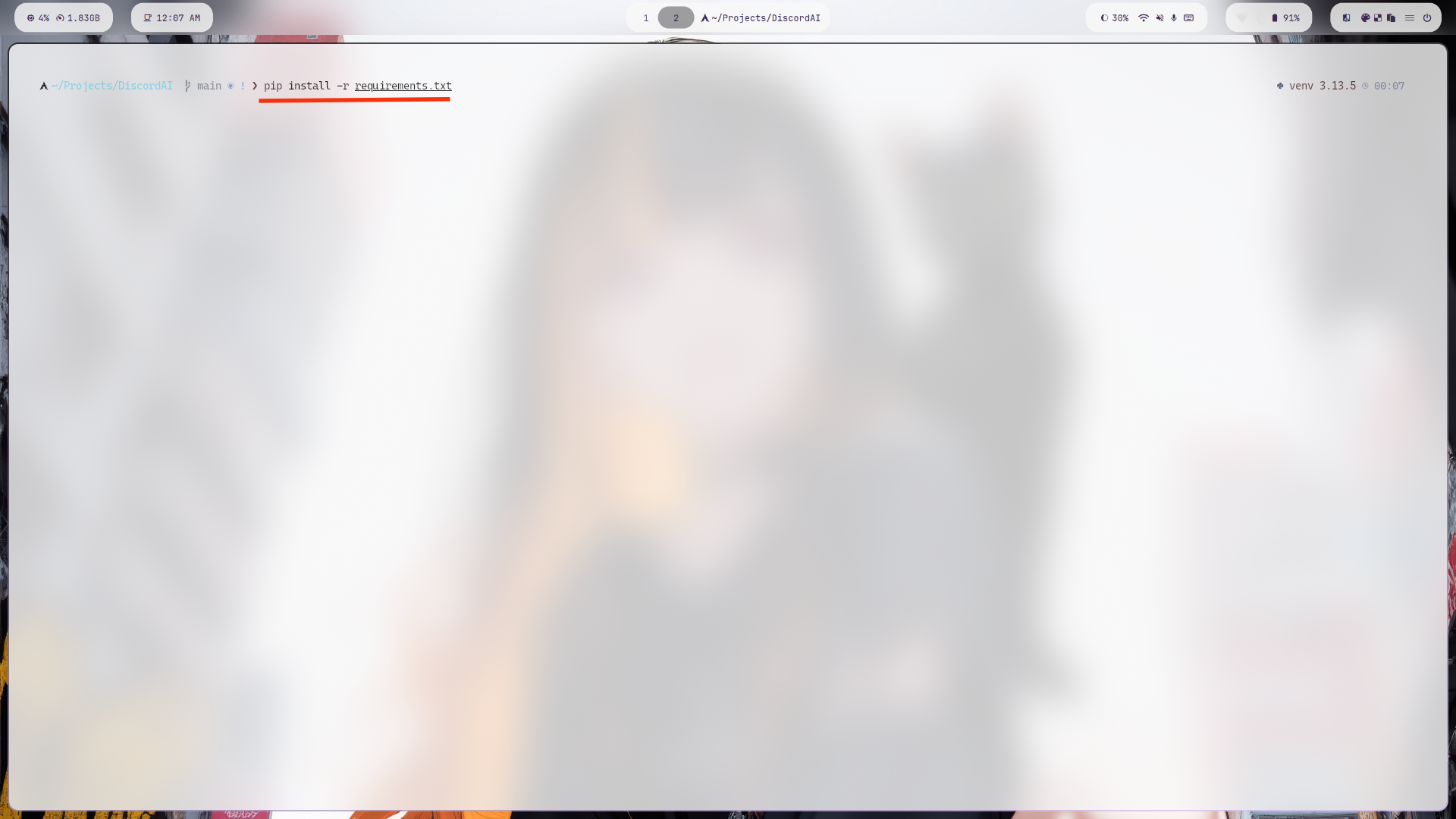
Step 4
Install required Python packages
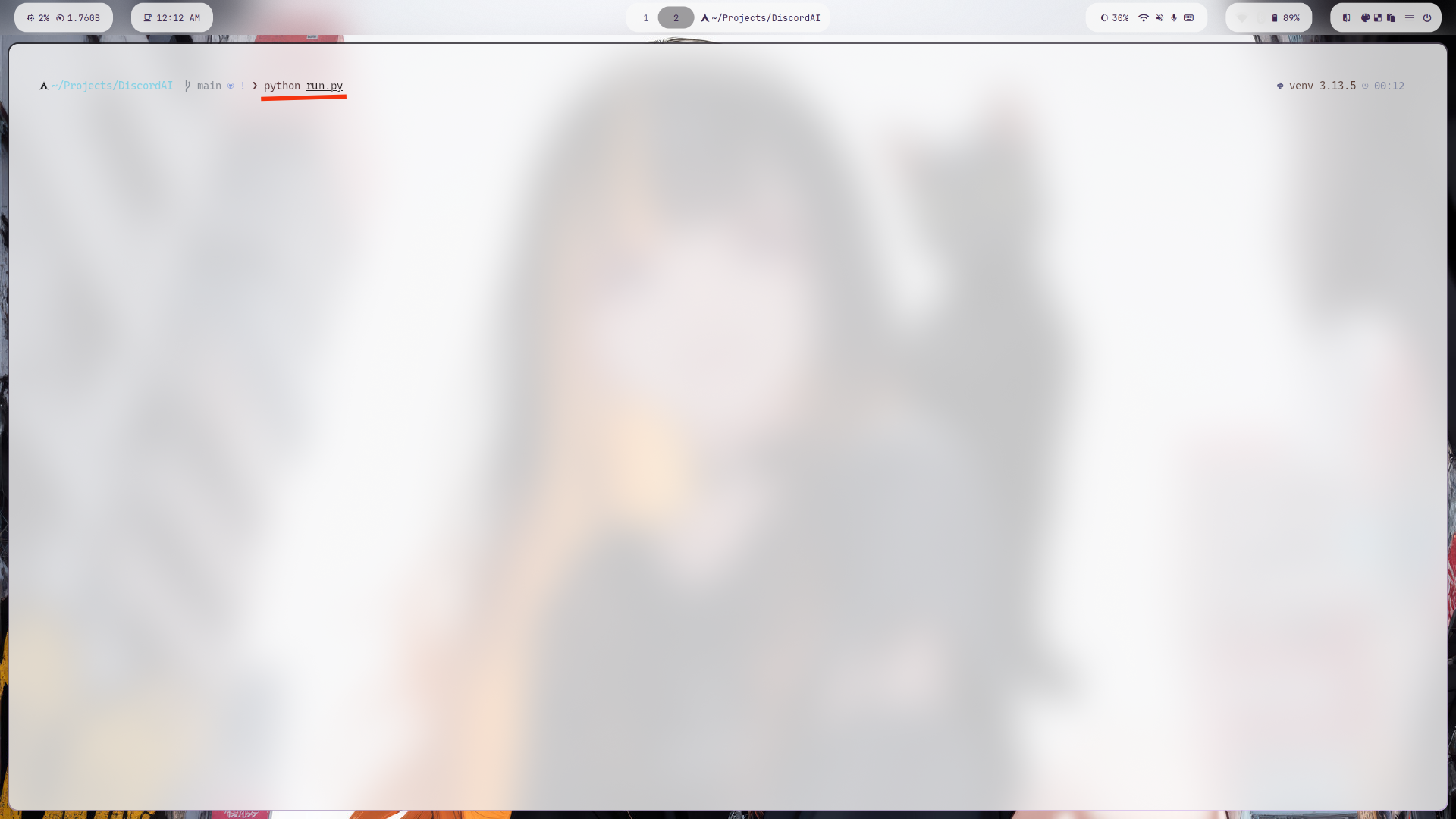
Step 5
Start your Discord AI bot
Method 2: On Cloud
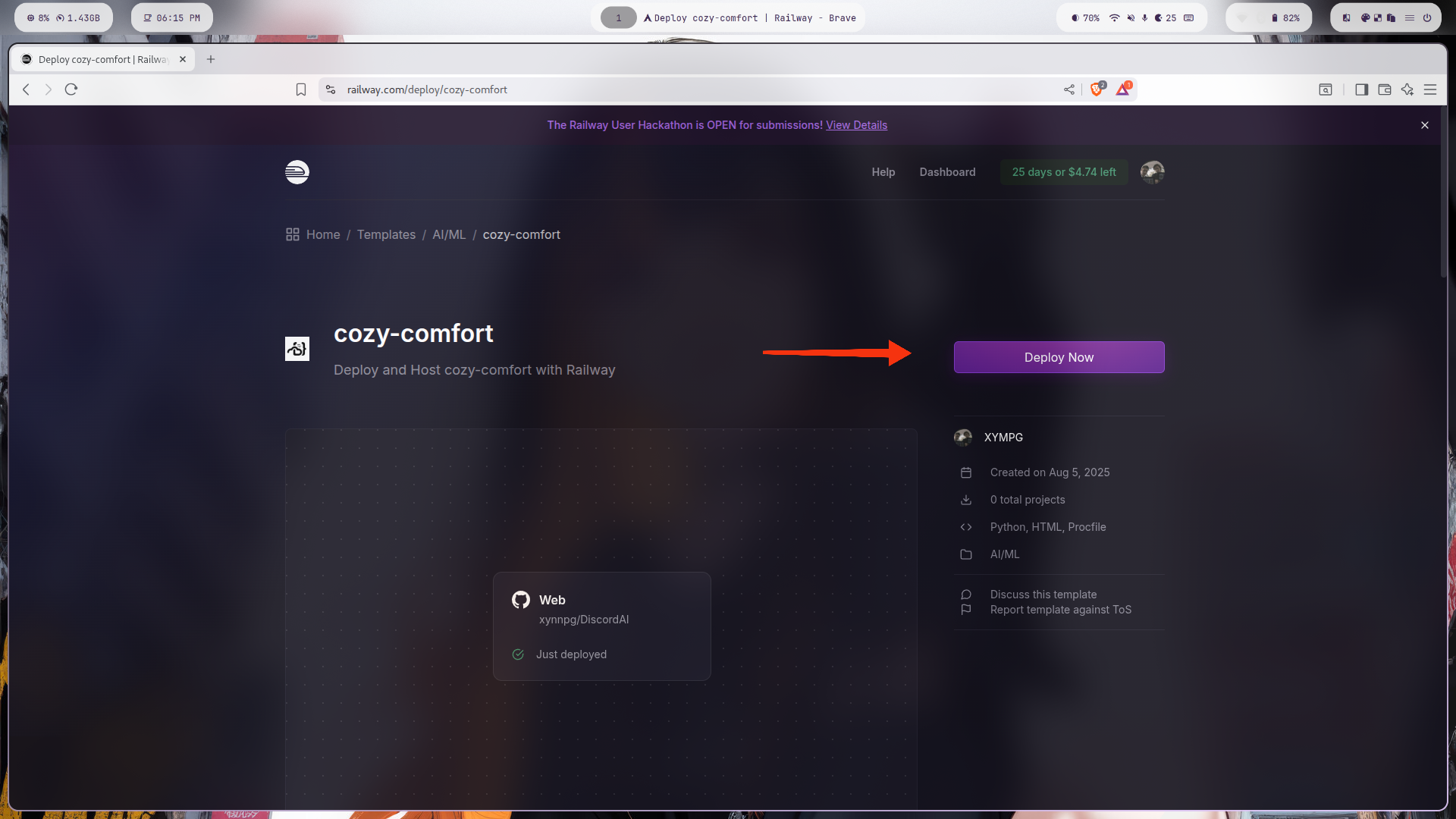
Step 1
Click on the deploy button
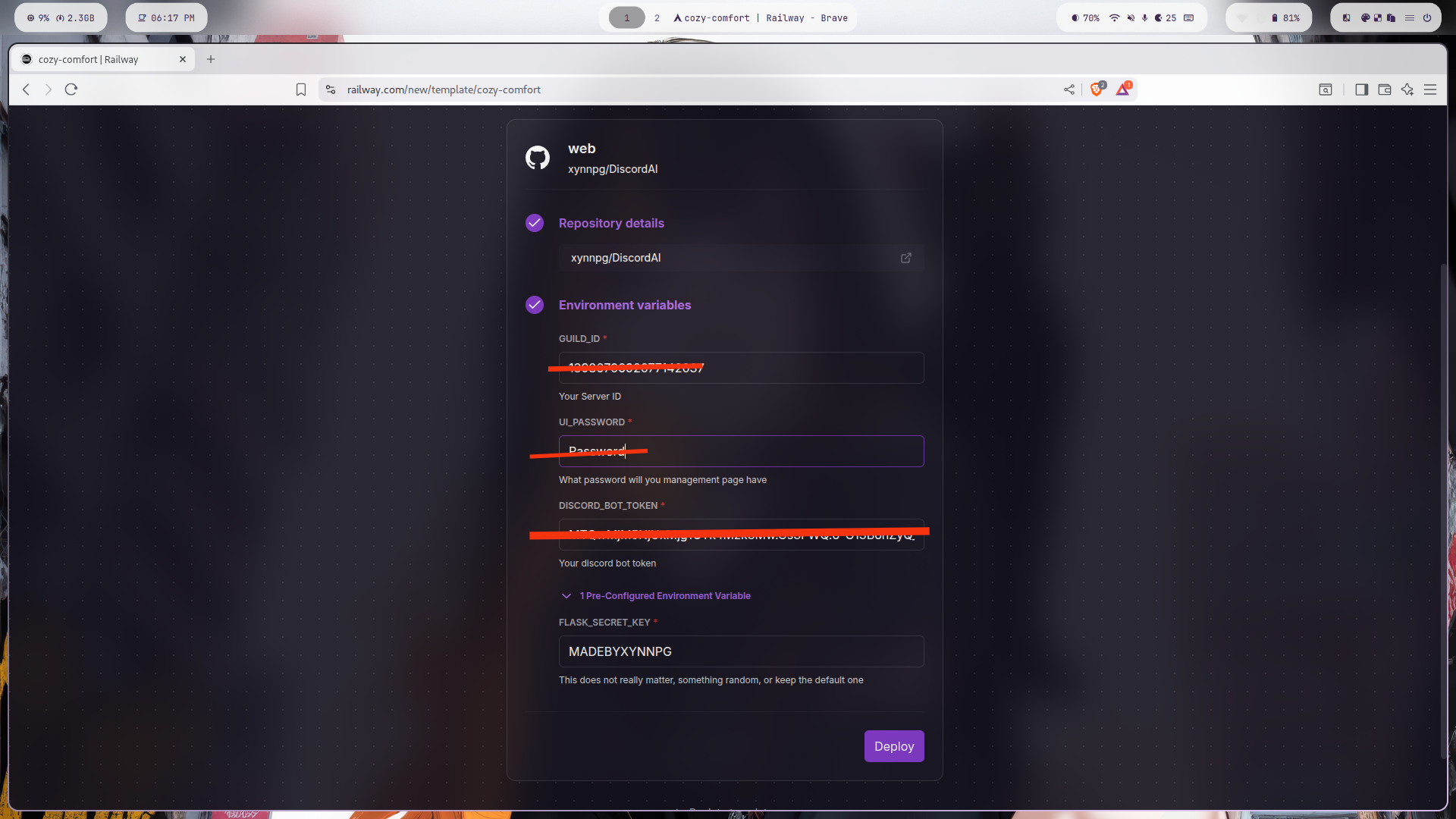
Step 2
Add your information.
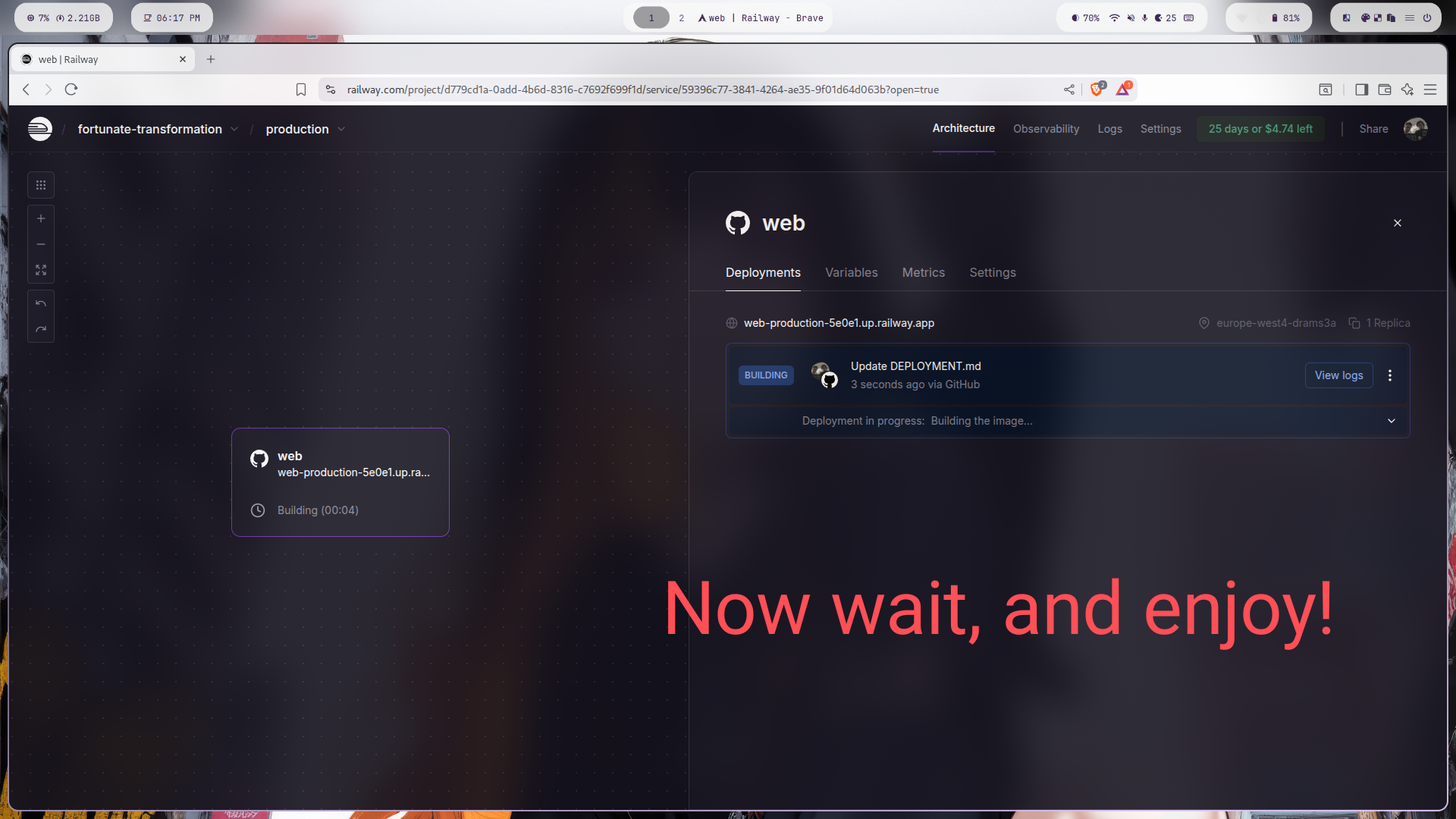
Step 3
Wait for the building and deploying to finish
Completion
You're almost done! Complete your setup
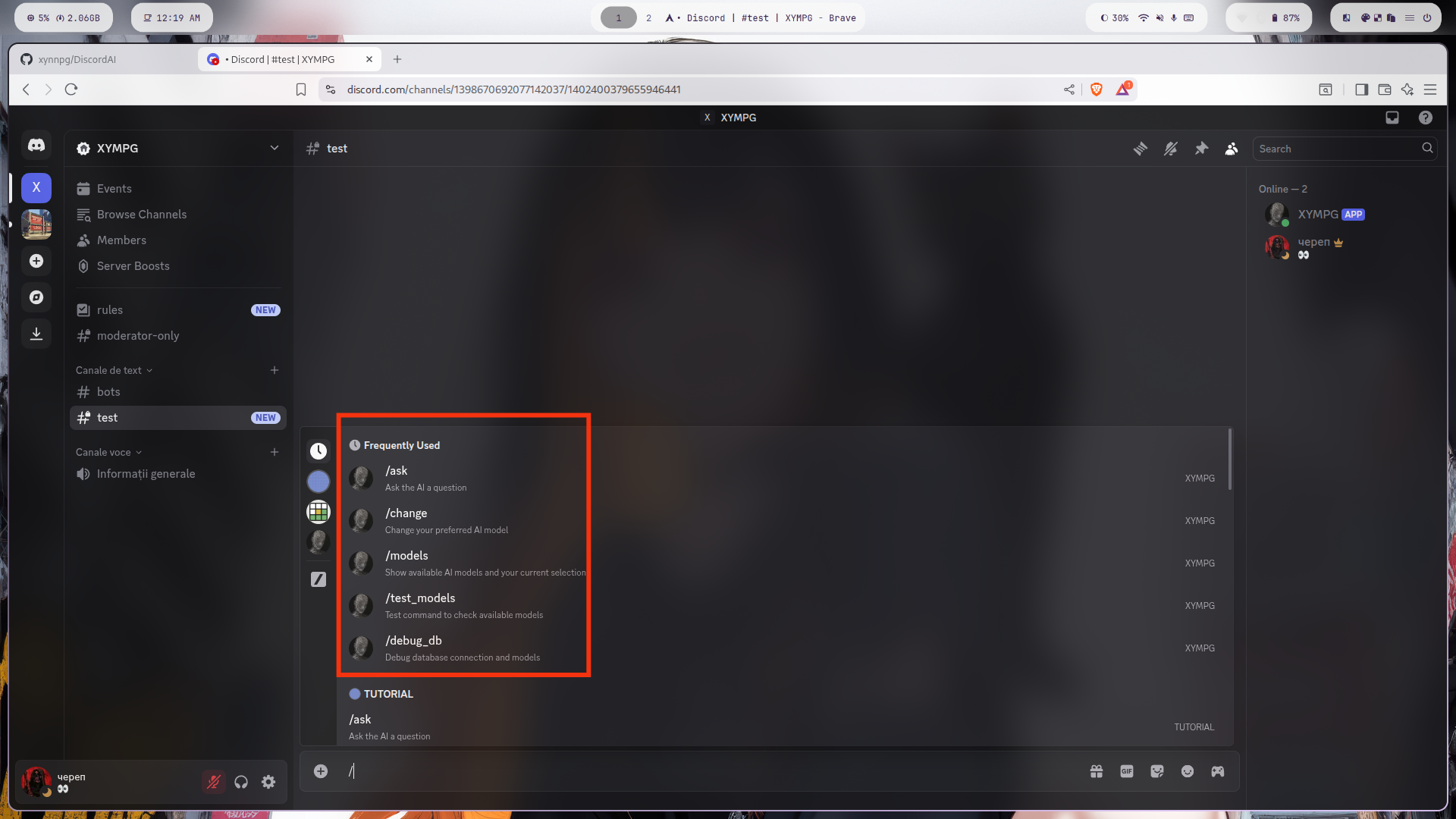
Setup Complete!
Congratulations! Your Discord AI bot has been successfully configured and is ready to use.
Bot is online and responsive
All permissions configured
Ready for production use